
AEC (Architecture-Engineering-Construction) // UI/UX // Enterprise App // Systems Design // Case Study
Water UX Futures
Building foundational design resources for Autodesk Inc.'s Water products and product future
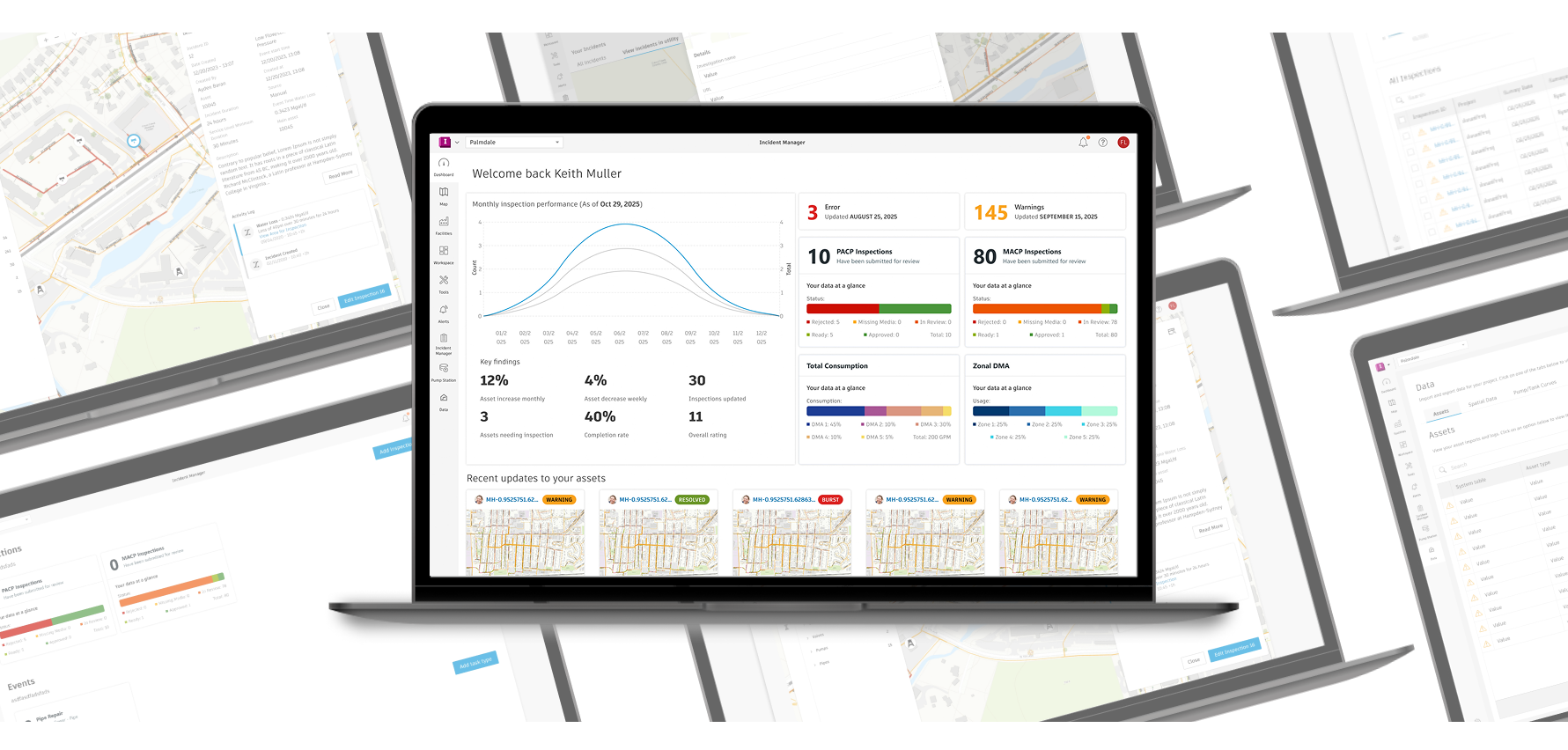
UNIFYING PRODUCT VISION THROUGH DESIGN SYSTEM COMPONENTS
Making an impact with visual design
As a Senior Visual Experience Designer at Autodesk Inc. , the Architecture, Engineering and Construction (AEC) mega-corporation, I bridged the gaps between designers, developers, and customers through creating cross-product alignment, breathing life into purely functional UI with moments of delight, and reduced complexity and cognitive load throughout their products.
In my 4 years working with the company, I had written guidance for the design system Weave, created comprehensive visual designs guidance for bridge and tunnel construction, clash detection, pipe network status tracking, urban design and more. I was able to work on many parts of the company's offerings, touching softwares like AutoCAD Web, Civil 3D, Infraworks, Fusion 360 and more.
Then in 2024, I joined Water Lifecycle. Water operated with little to no visual guidance for three years before their acquisition, and one year during the time Autodesk owned them. They had accumulated a vast backlog of unconnected components, complex screens and a incongruent experience. My work was clear.
Simultaneous improvements for today and tomorrow
The challenge with the design of Water Lifecycle’s 5 software offerings (Info 360 Asset, Plant and Risk, Infoworks Insight Pro and InfoDrainage ICM) were their sheer differences. 3 web products, 2 desktop, using a variety of antiquated design patterns that often were visually similar, but constructed differently each time. Additionally, with new corporate goals on the horizon, leadership wanted to upgrade the software to new heights.
To combat the backlog of design work and provide the team with success, I developed a comprehensive Figma library and file structure, created a product strategy for user interface improvement, and a digital twin of the entire web experience.
All software referenced is property of Autodesk Inc, and are featured solely for portfolio use.
THE CHALLENGE
HOW DO YOU UPGRADE 5 SOFTWARE OFFERINGS WITHOUT A PLAN?
When I began supporting Water Lifecycle, there was a large backlog of needed improvements. Pre-acquisition design systems were held onto because of a lack of a plan to replace them. Individual UX designers had no time to make reusable resources, which led to many of them making components from scratch or using screenshots for wireframes.
I came in at a interesting time as well. When I started to work for the team, the new leadership goal of ‘’In 2-5 years, the Water Lifecycle products are the easiest in the industry to learn and use.’’ was debuted. It was the perfect time to smooth these challenges affecting our design and development teams, to impact our customers.
REPEAT SOLUTIONS TO SOLVED PROBLEMS
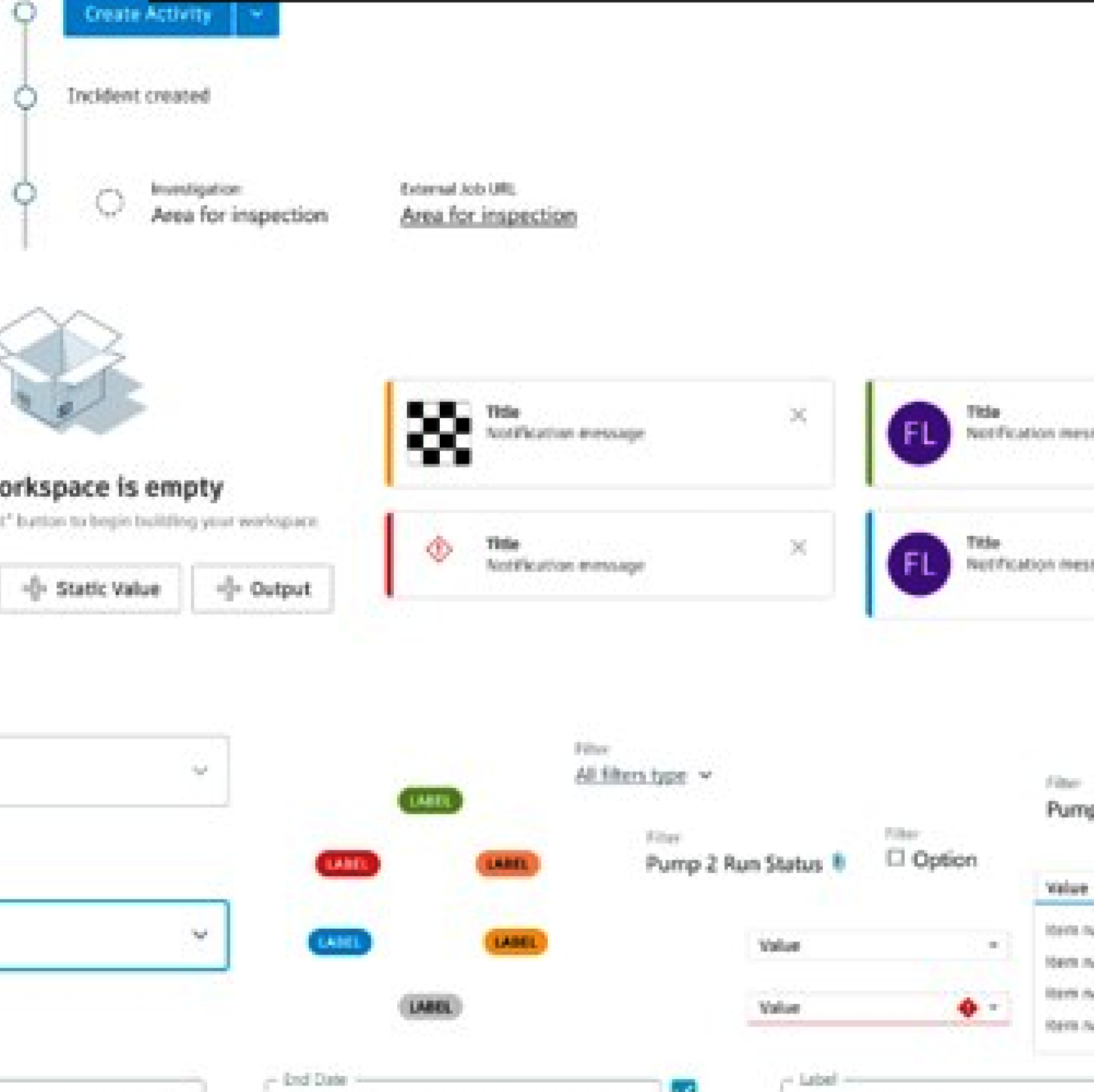
The Water Lifecycle team had generational design debt, continuously combining multiple design systems and unique interface patterns every feature release. Across their software offerings multiple near-identical options, with radically different functionality became common.
INCONSISTENCIES BETWEEN DESIGN AND PRODUCTION
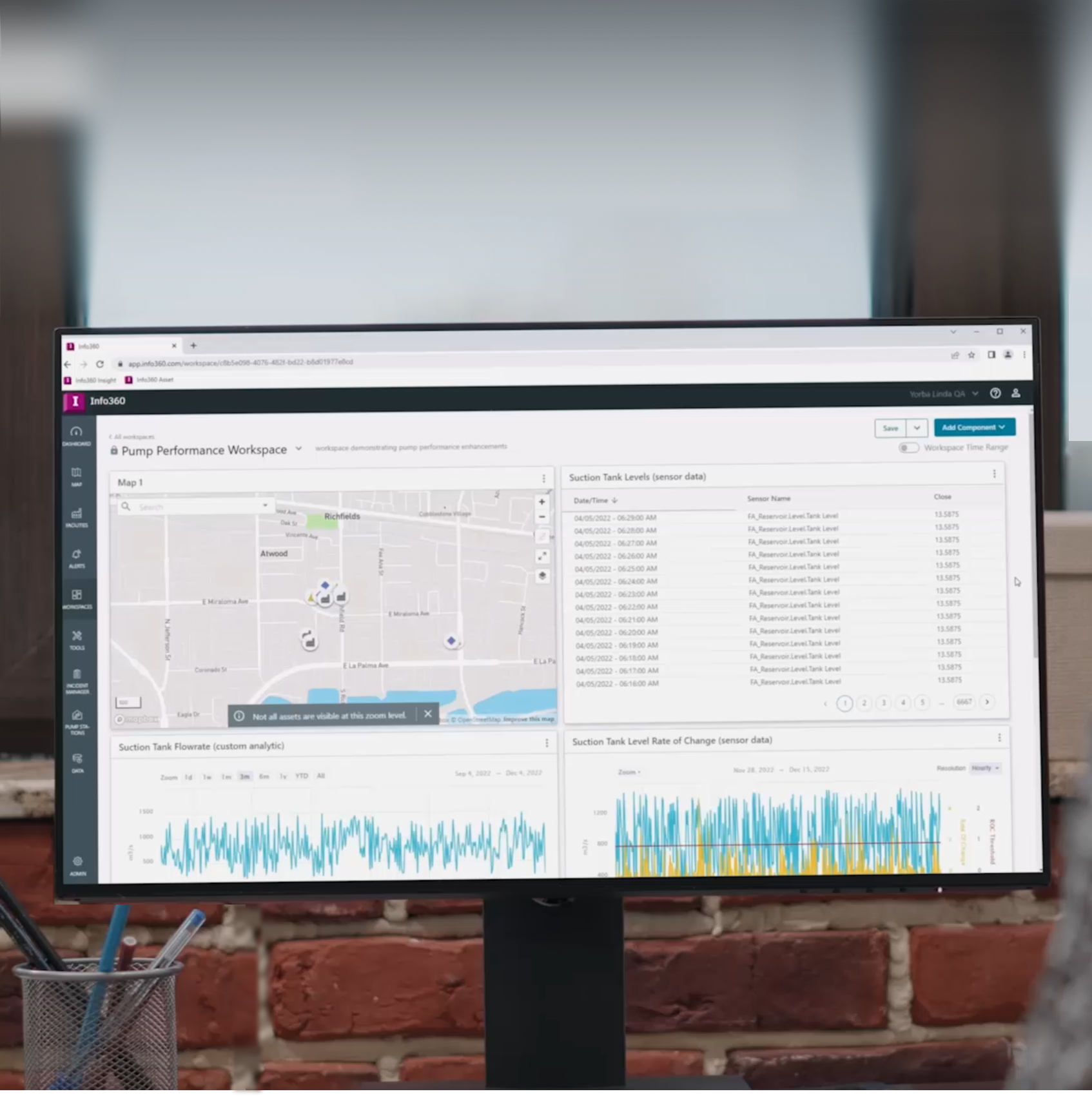
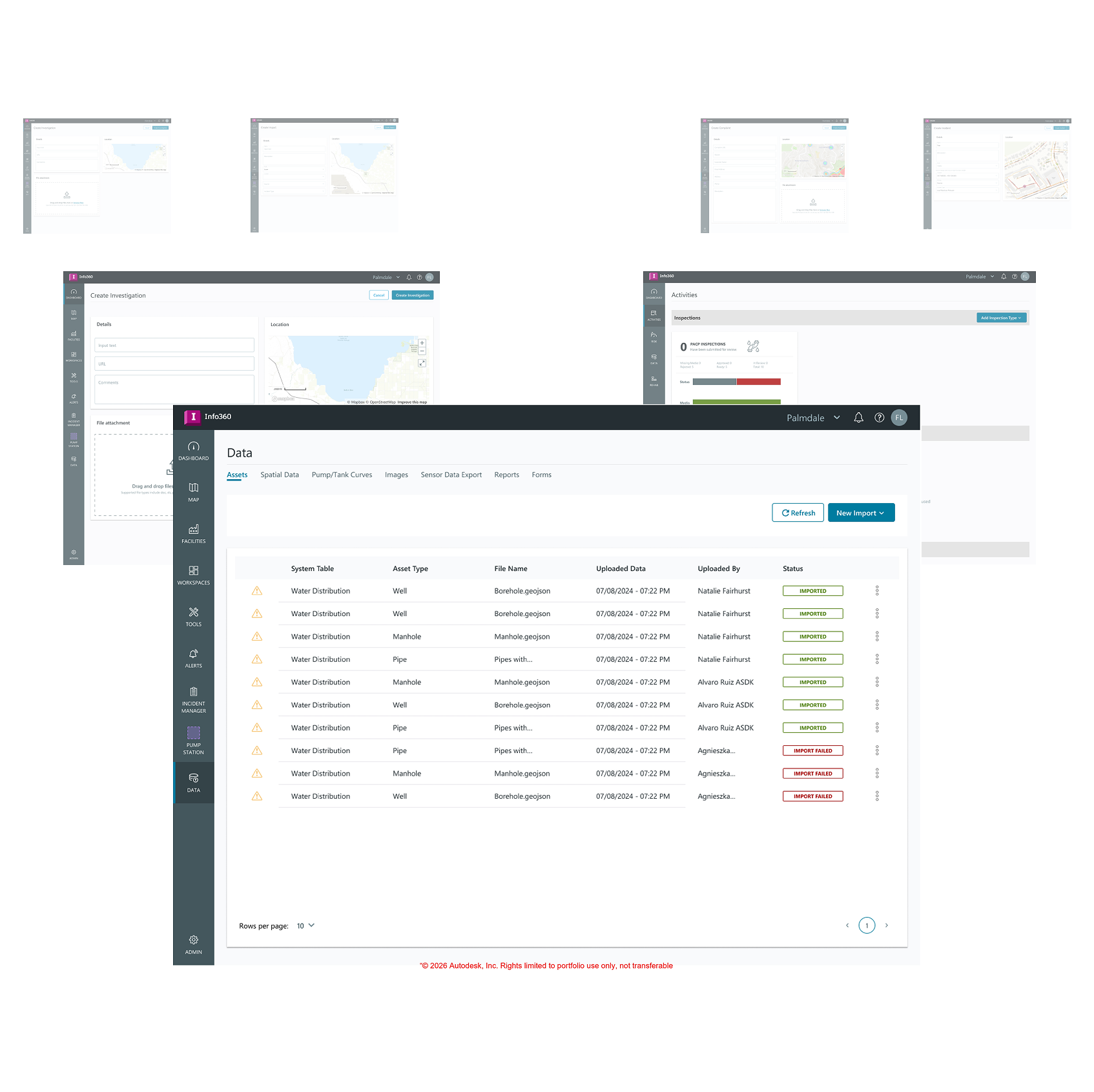
As the product line grew over the years, rapid code-first product development led to the team having a massive disconnect. While designing in one style, and developing in another created variances each release, resulting in an unspoken and inefficient translation gap.
CLEAR DESIRE, OBSCURE RESULT
Water Lifecycle had clear ambitions to upgrade the software to fit leadership’s perspective, but no clear path without ruining road-maps. With my experience leading similar initiatives in AutoCAD and Civil 3D, I took charge of leading our product vision.
INITIATIVES - HOW I IMPACTED THE FUTURE OF WATER
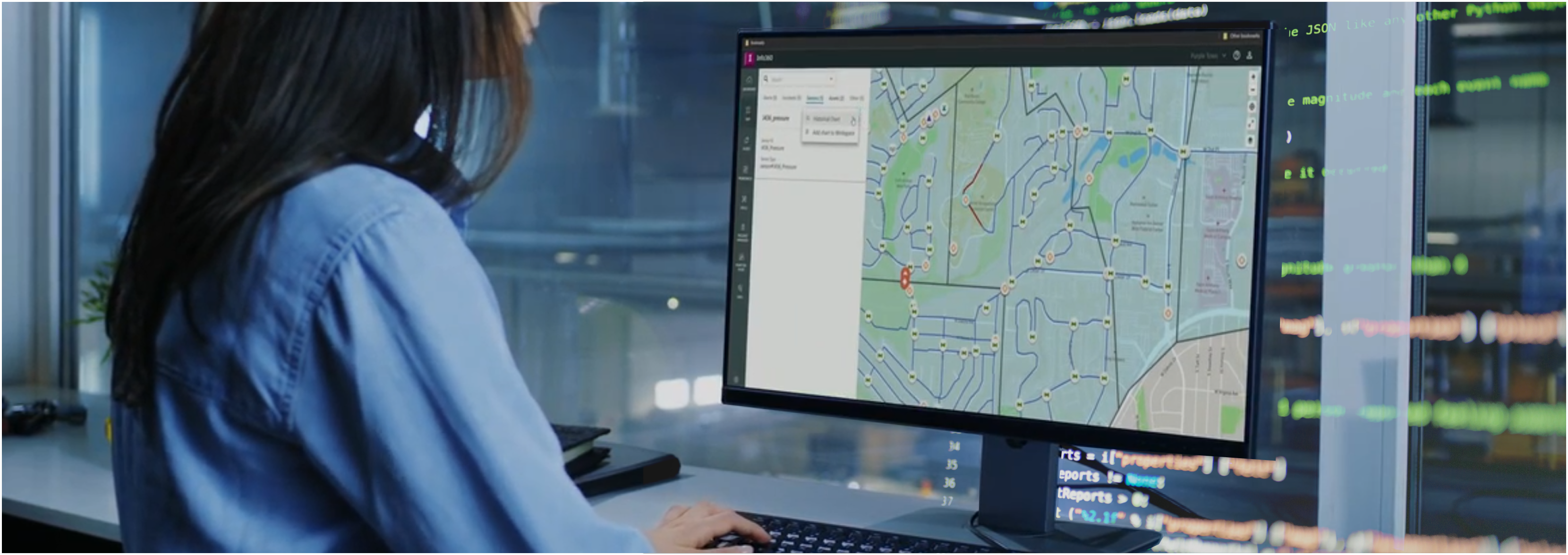
REDUCE DESIGN OPTIONS FOR SIMPLER CODE - USER INTERFACE LIBRARY
Designers had to compete with their own design tools, with 21 separate files to retrieve components from. Some designers didn't even bother using them at all. Through careful audit, component reconstruction and design work, I successfully brought this number to 4 comprehensive libraries, reducing 210 component duplicates to 65. This reduced initial design creation time, cut Front End bugs down by 50%, and simplified our code-base by 20% by removing bloat.
MY CONTRIBUTION
Our customers had to fight against our system, each feature being designed in slightly different but noticeable ways. This led to increased cognitive load when trying to any feature in our products. I devoted 9 months to the comprehensive upgrade of our Figma libraries, integrating company design system resources tactically to replace over 100 icons with clearer, more recognizable options and develop 54 pixel-perfect and Storybook linked UI components synchronized with production. This enabled me to flag unsupported components in designs, effectively removing ''bad components'' from upcoming designs entirely.
WHY SIMPLICITY MATTERS
This work enabled me to flag unsupported components in designs, and lead our team to utilizing less resources to enable faster work. With less components to worry about, designer productivity increased no longer having to guess which component was the correct one or having to manually design a hover state or place a dropdown menu. Developers could rapidly create Front End specifications because when a text input was in a wire-frame, there was only one possible option instead of the previous four. By matching our current state in code, we now had a stable ground to maintain components as we continuously updated and improved.
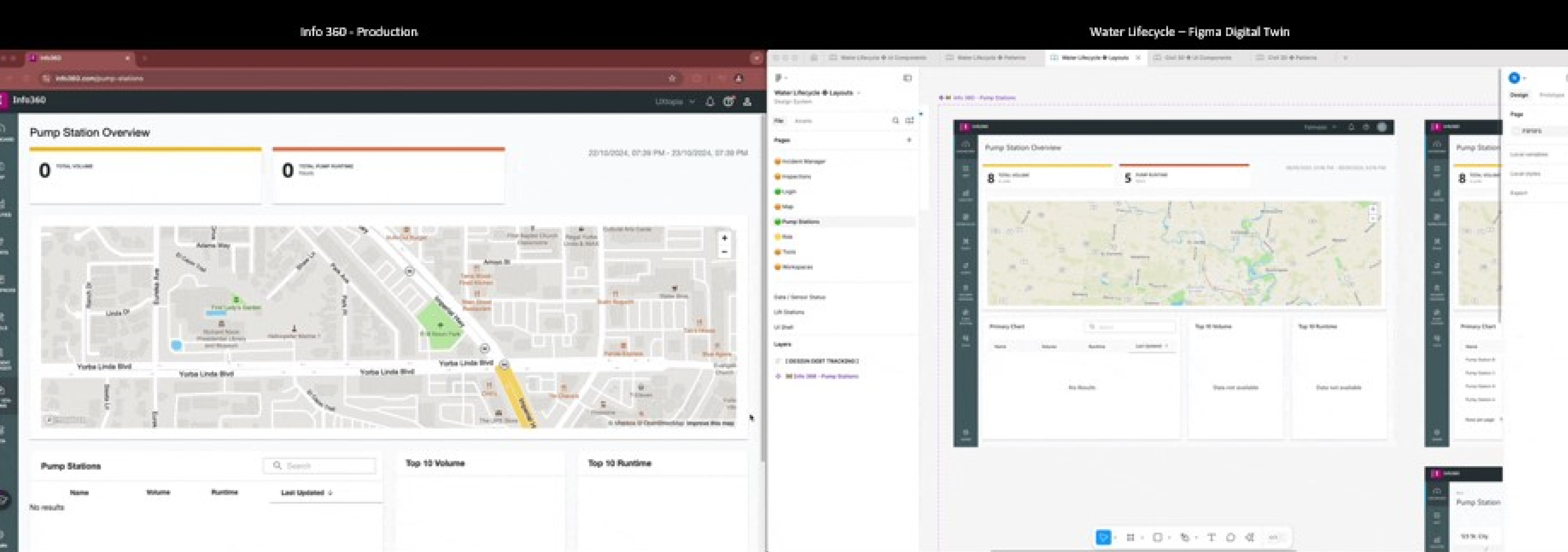
IMPROVE INTERFACE CLARITY THROUGH A SOURCE OF TRUTH - DIGITAL UX TWIN
Creating design components wasn’t enough of a contribution to enabling the Water Lifecycle team to succeed. With big plans in the future like the following Takeoffs strategy, I knew that we needed a comprehensive vision of where our product would be. I systematically went feature by feature, creating a 1:1 duplicate of 14 full product features in Figma, supporting both current and future designs in three interface themes. This living resource was a fully-functional and interactive Figma prototype, which gave me the ability to toggle between current UI and proposed solutions quickly for stakeholder review or design prototyping. Best of all, when new changes were made by developers, all I needed to do was instance-swap a component and the Digital Twin matched production once again.
MY CONTRIBUTION
After building a comprehensive library of UI components, I moved to a top-down approach. I built page structures, audited and developed guidelines for refining our designs, and marked multiple product inconsistencies for developer involvement. This enabled me to identify patterns in our interface to replace in the following phase. I built and prototyped close to 40 individual screens, each with simulated interactions matching the real product, that could easily be navigated within from Figma and Browser.
WHY SYNCHRONICITY MATTERS
The digital twin allowed our team to go beyond, skipping high-fidelity wire-framing near entirely by being able to pick single features out of the prototype to modify instead of making screens from scratch. This resource enabled the team to focus more on the experience itself in the low-fidelity, navigating information architecture and user flow challenges instead of arbitrary button placement. With a expansive, reusable library of adaptable components, we now had the flexibility to make changes and be free of worries from design/development continuity.
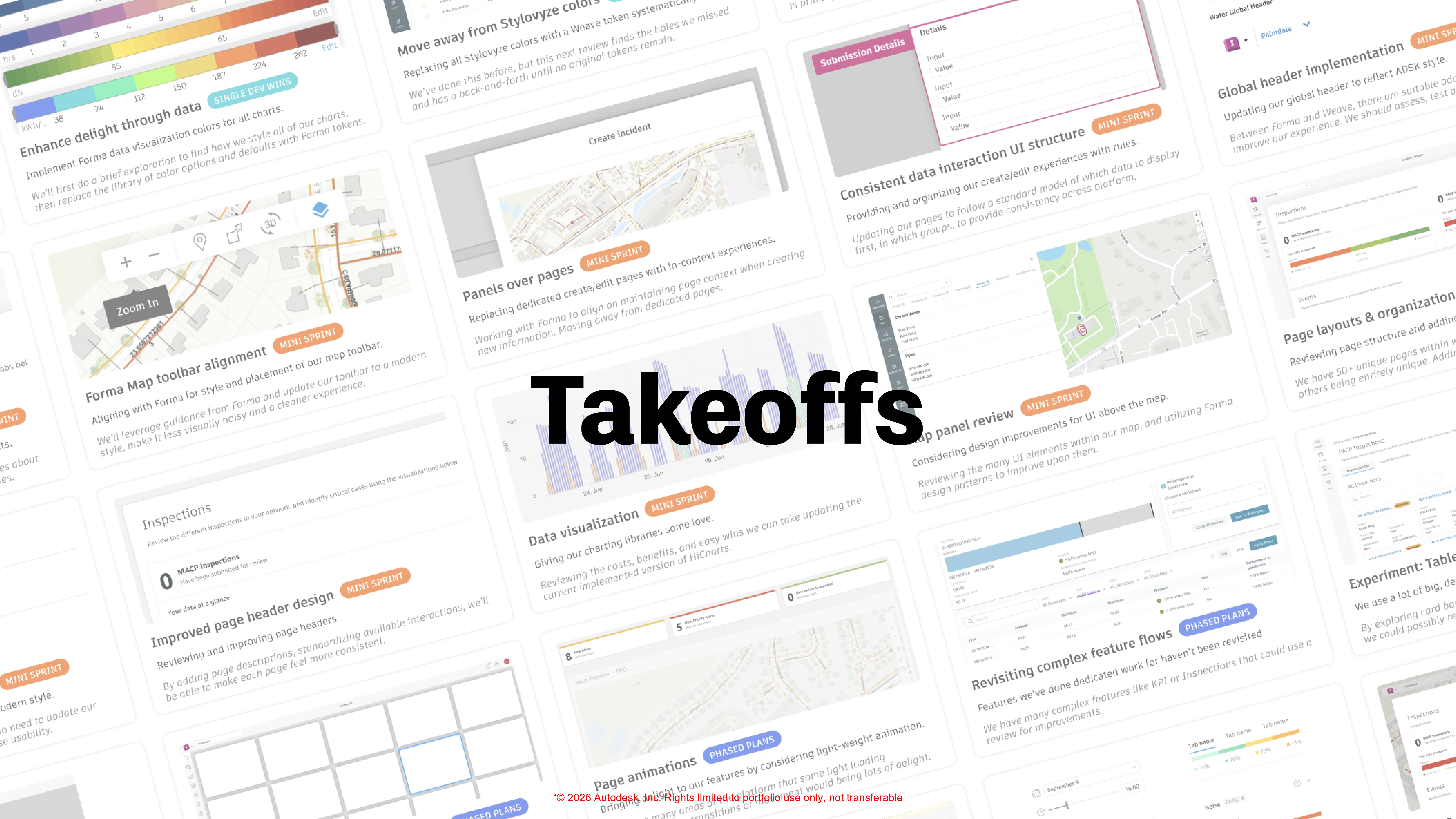
MAKING LARGE CHANGES WITH SMALL RESOURCES - TAKEOFFS
No matter what I was able to create for the future of Water, the resources available for a complete front-end overhaul would be small. With large features coming down the pipeline, and the team eager for change but lacking time, I decided to step back and consider how to do more with less.
I developed Takeoffs: a set of 30 individual, asynchronous web improvements that could be completed in any order with as little as one developer’s time. Takeoffs were designed so that no matter how much our team resources were spread, we would make meaningful contribution to improving the UX of our web and desktop products.
ROADMAP SLIPSTREAMING
The Takeoff strategy enabled the team to choose which feature upgrades to perform directly connected to current road-map items. They ranged from aligning all action buttons or form data placements, aligning all our data-visualization libraries, or becoming consistent with modal displays of data. Takeoffs were carefully balanced to cost minimal designer/developer story-points, provide the same benefits as the UI upgrades like simplifying code and greater consistency. Whenever we’d complete a small Takeoff during regular feature work, the entire product would benefit.
WHY TAKEOFFS MATTER
No matter what progress we made per sprint, each feature release would bring consistent improvement to our products, that didn’t require users to relearn the UI every time. This process of recognizing challenges in our UI and repairing them would be the foundation for increased customer trust in our software and team. Better yet, as these small product improvements became something customers actively talked about as being the easiest to use on the market, we were able to use word-of-mouth to build reputation with ease.
Progressive impact through clearly documented design decisions.
Takeoffs are standalone improvements that can be done at any time, and improve multiple SaaS products simultaneously with immediate benefits.
Each Takeoff done gradually adds on top of one another, so that if one or ten or all thirty are completed, a product gradually evolves without putting strain on new or existing users, developers or road-maps.
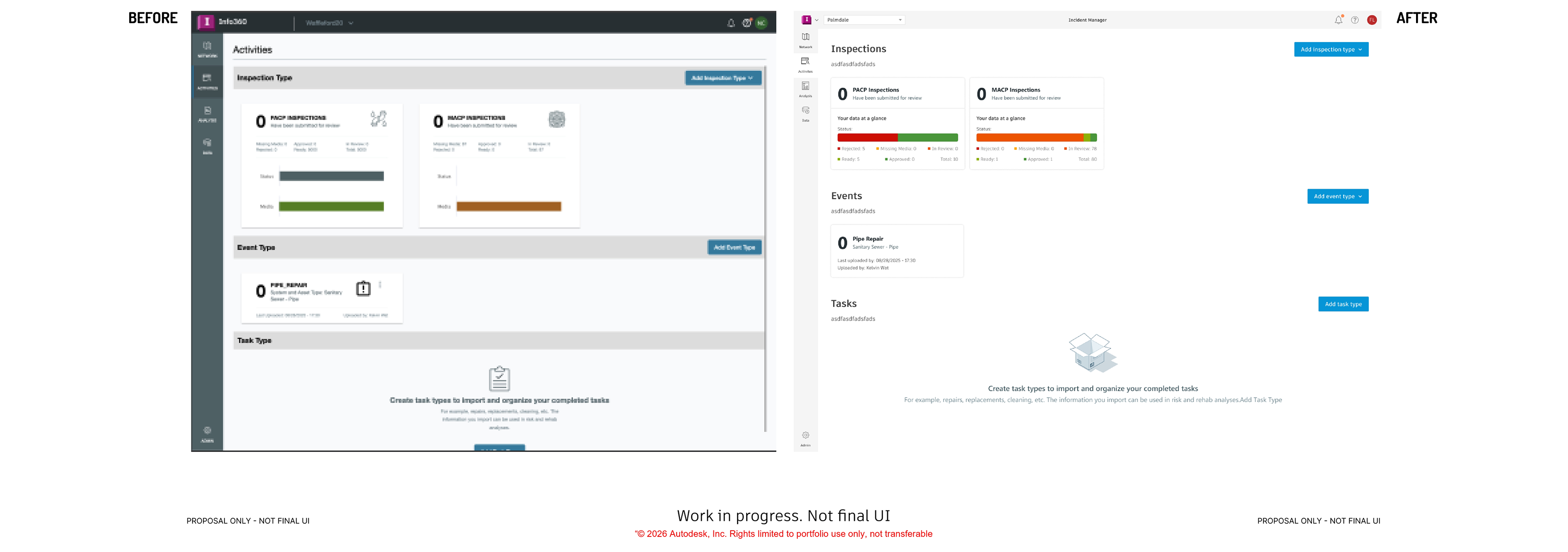
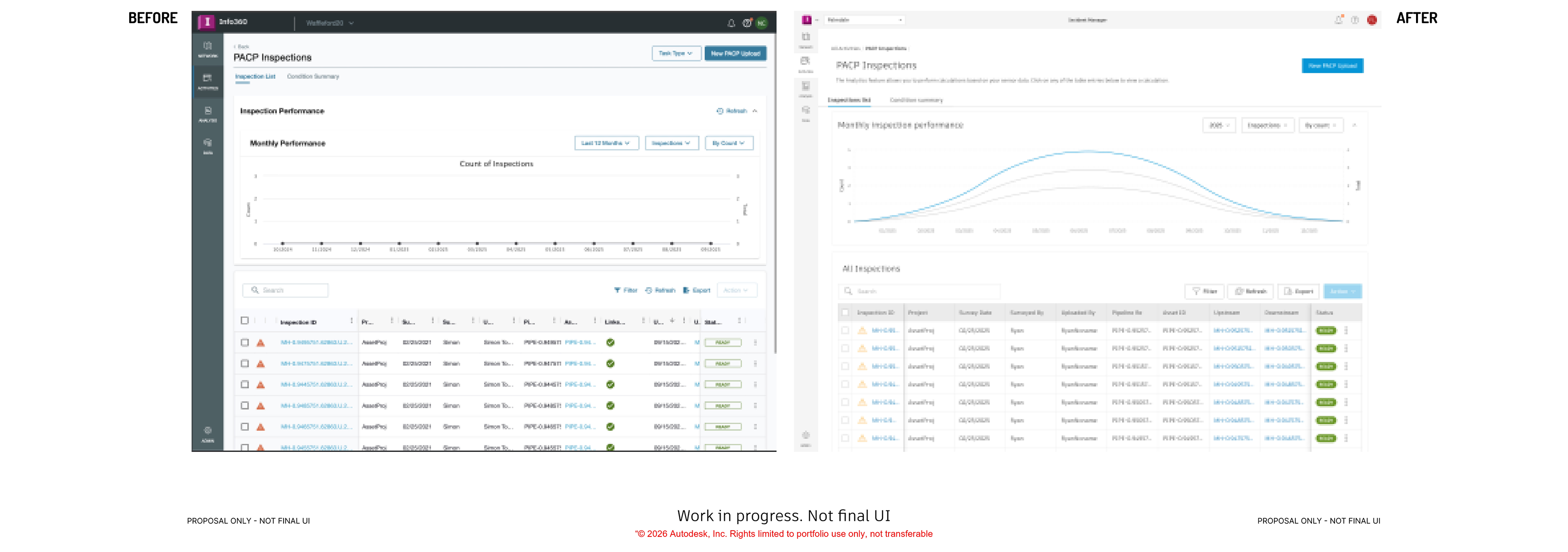
See some gradual examples below.
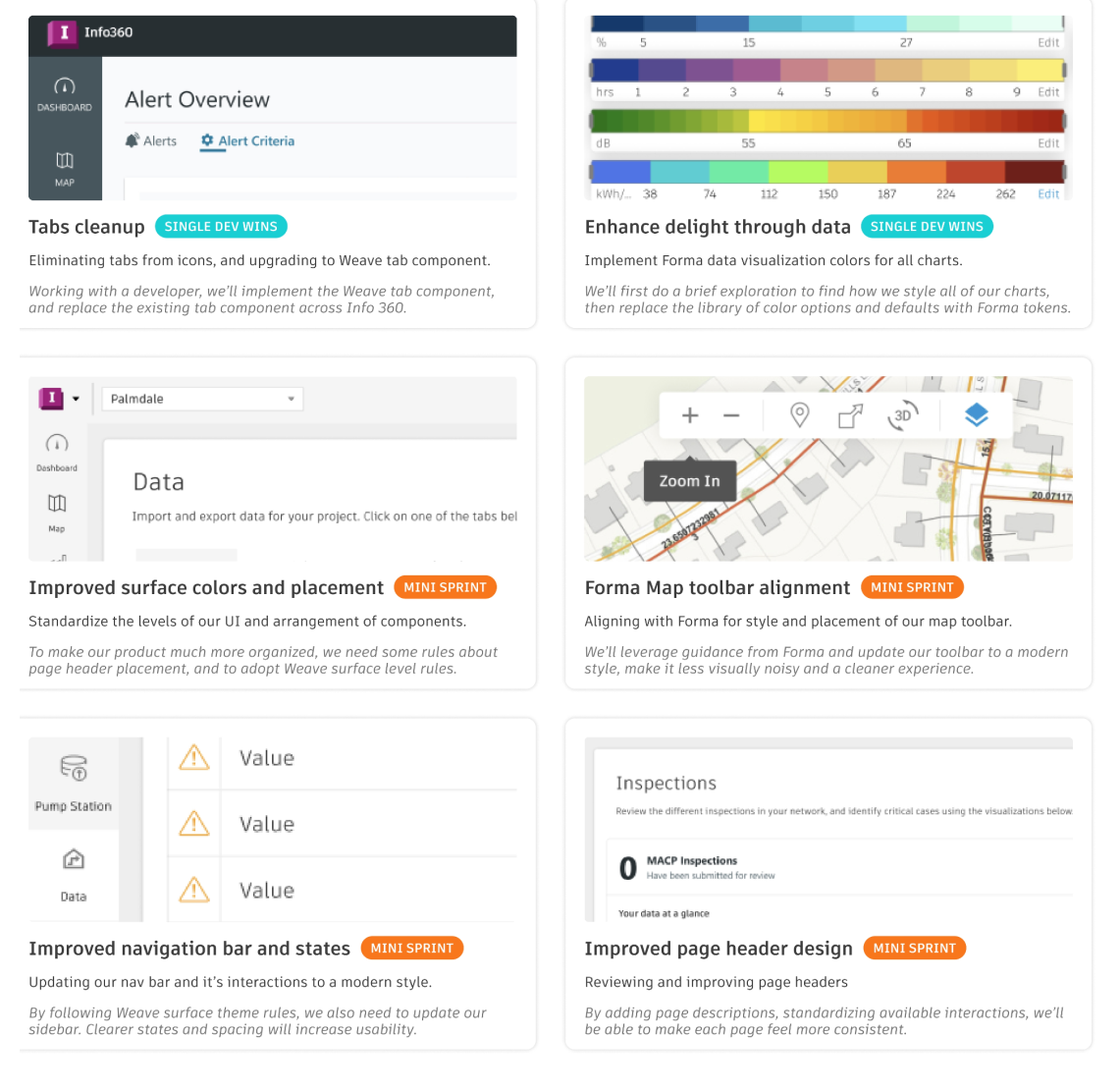
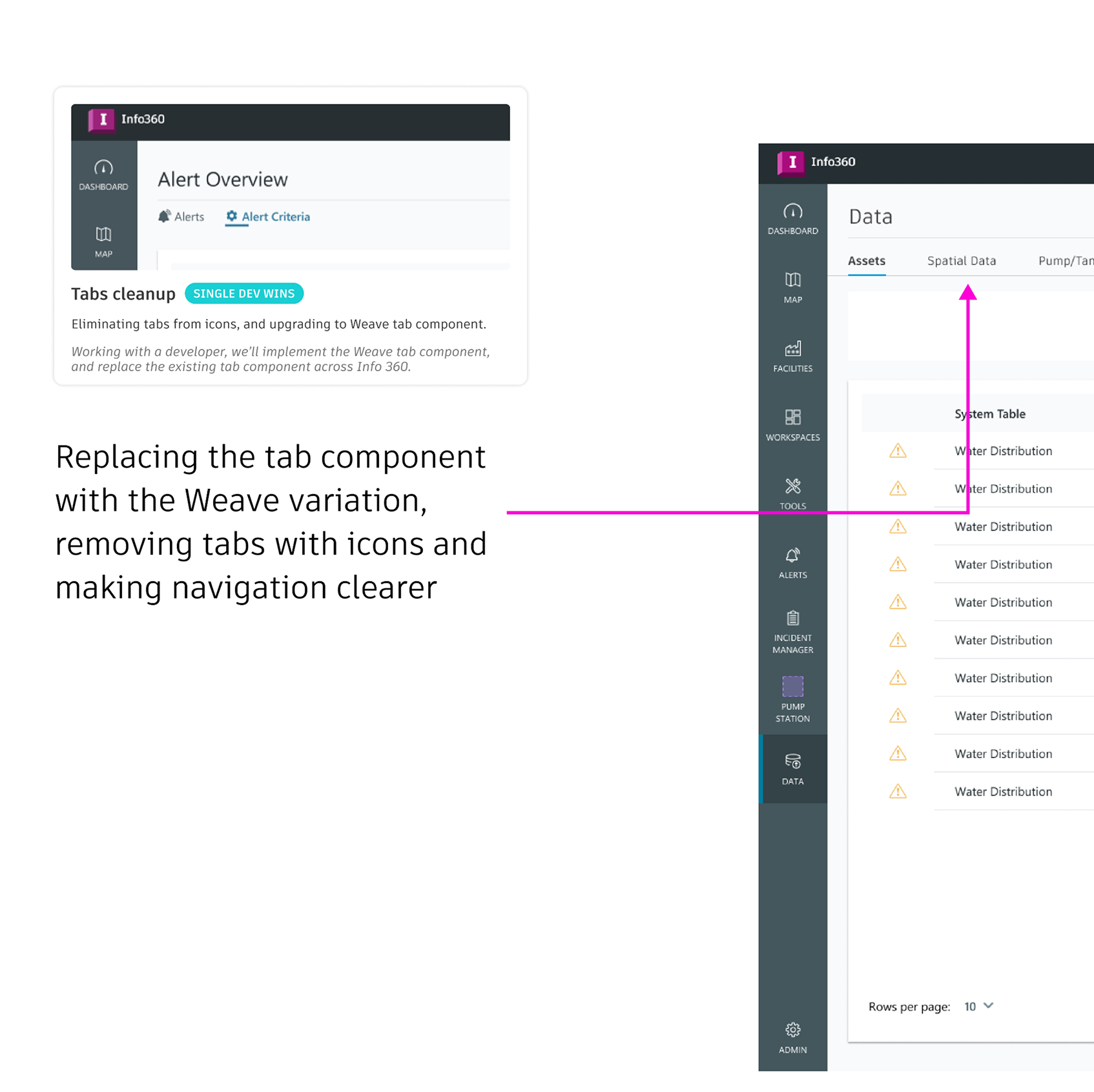
Tabs Cleanup
Dedicating a hour or two as a designer to review and remove extraneous elements like tab icons that are inconsistently used leads to a very specific ticket request for developers. Clear, direct guidance means a quick fix that can easily fit into any road-map, that immediately makes navigation clearer.
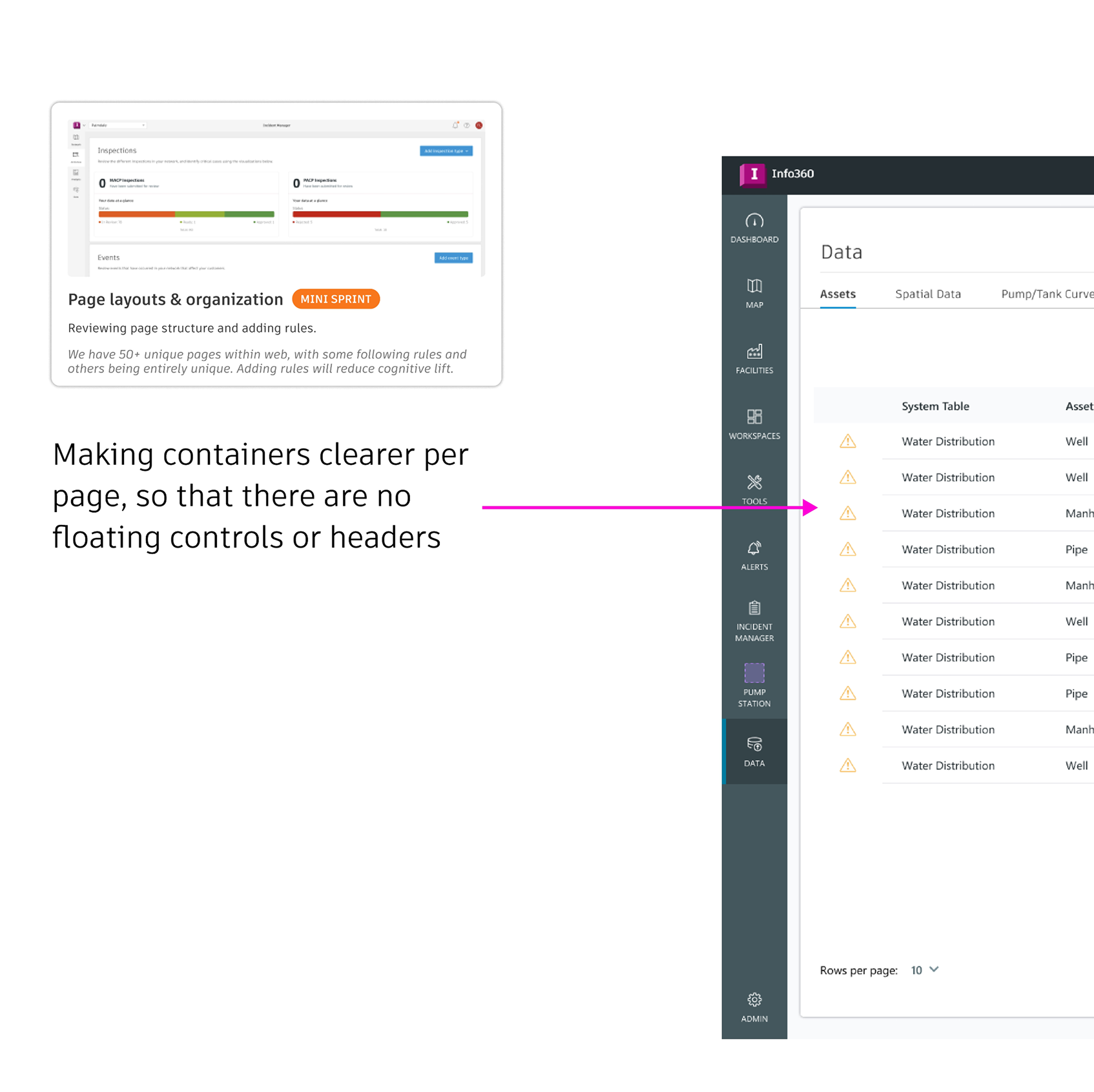
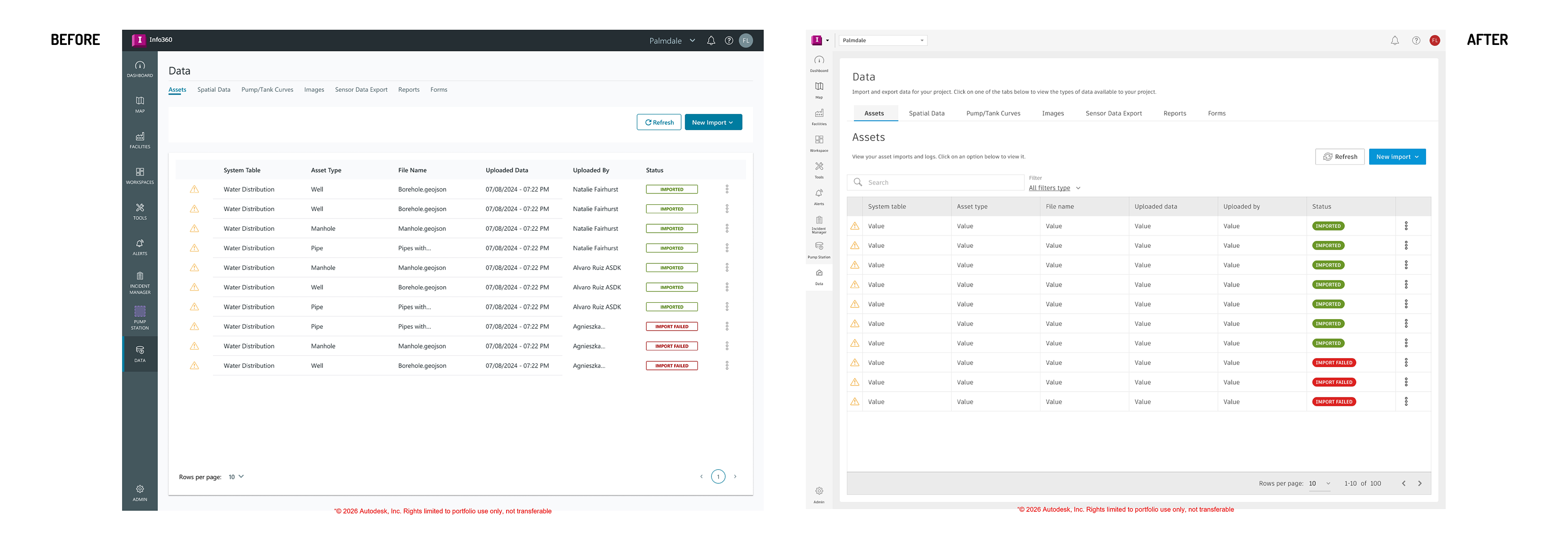
Page Layout and Organization
Refining individual pages and < div > gaps unifies page content, resulting in clearer page navigation and comprehension. It simplifies the interface, and allows customers to focus on their data, not their eyestrain from odd drop shadows or panel/background differences.
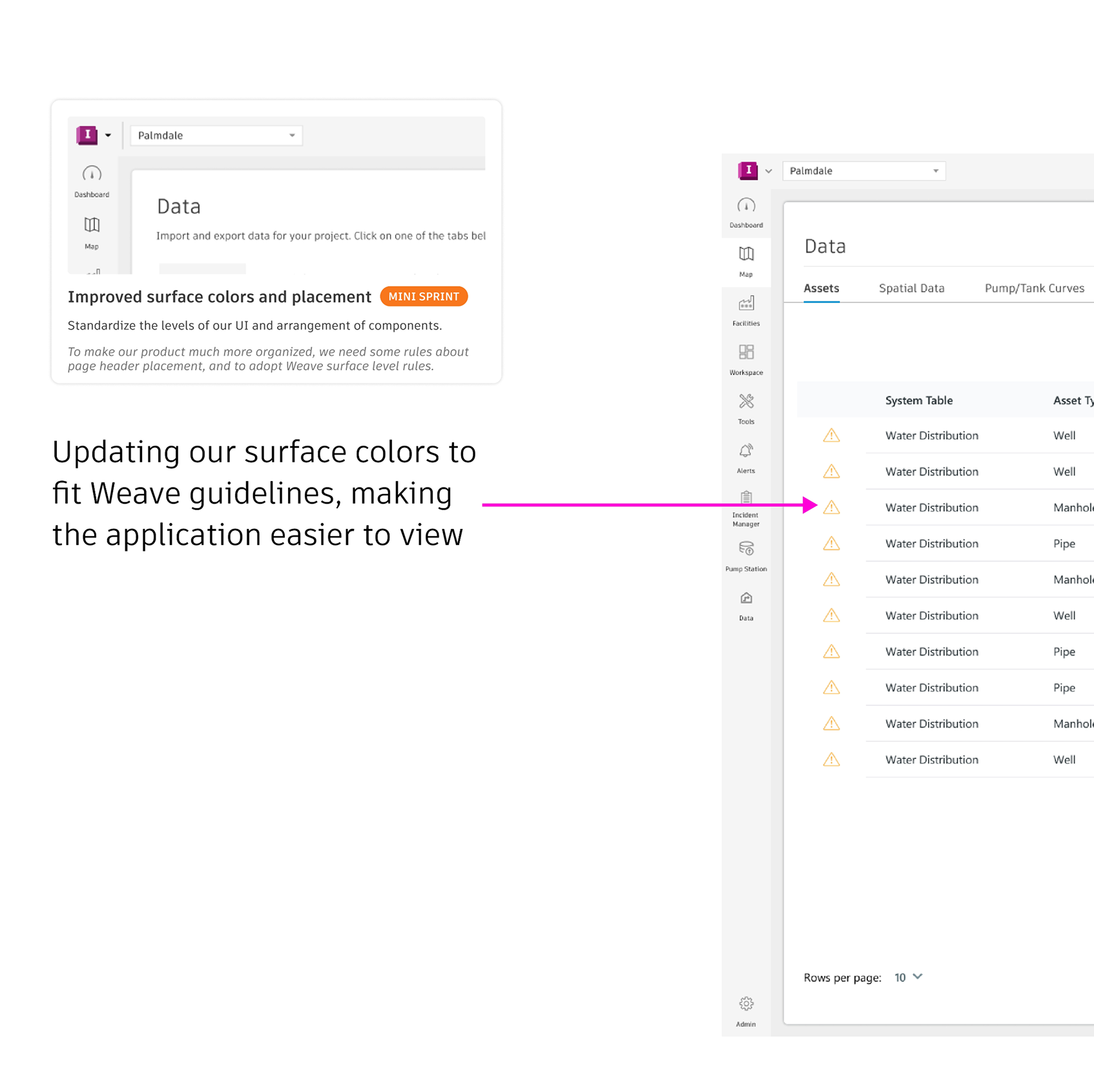
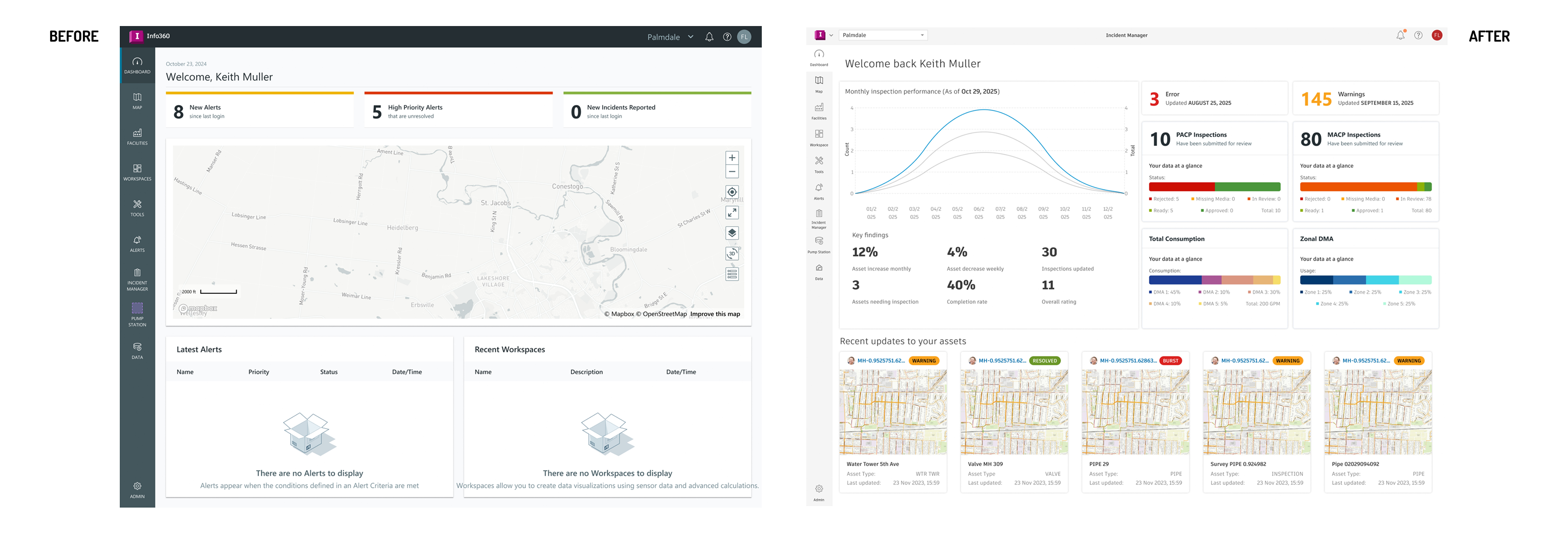
Improving surface colors and placement
Refining and upgrading the surface colors used across the application not only pulled Info 360 closer to other Autodesk offerings, but made the interface easier to understand.
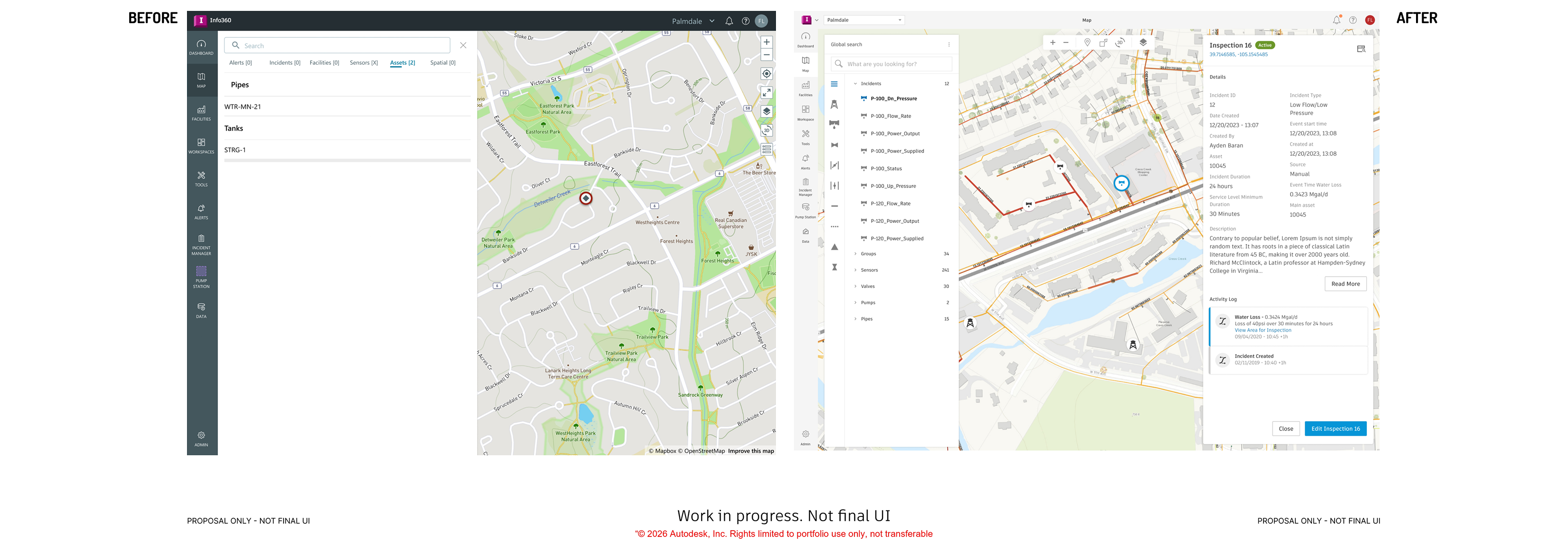
OVERCOMING OBSTACLES
Aligning to company prospects
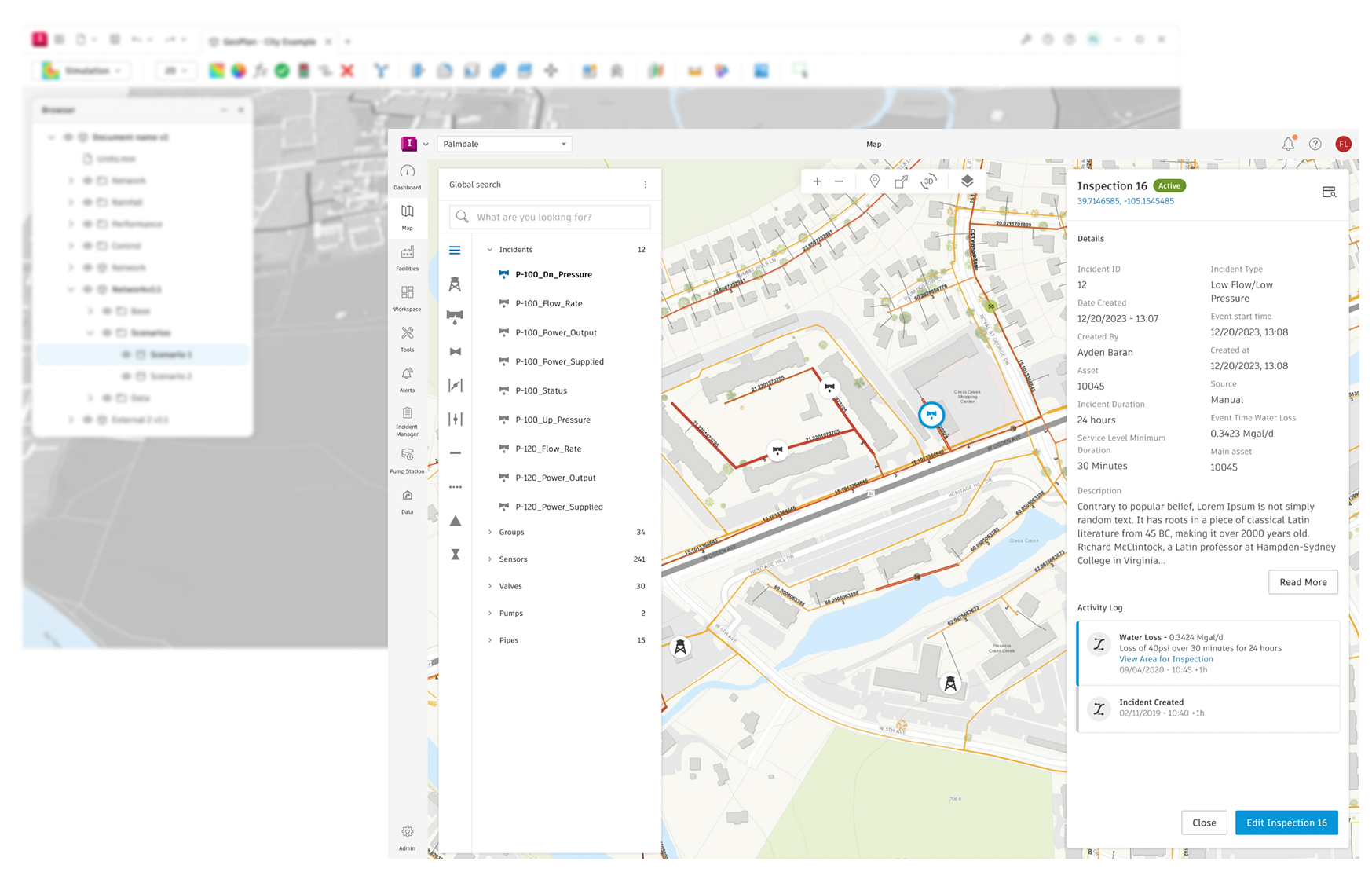
The biggest issue Water Lifecycle faced was that the software looked and functioned nothing like the rest of the company. In designing the Takeoffs, I chose to directly pull from the company's newest designs as they were being developed from the flagship software Forma. Working closely with another visual designer to contribute to their guidelines, I could double my productivity developing new guidelines company wide, and bring the wins back to Water.
Adopting and adapting to the new designs for Water meant establishing clearer layouts that followed our most used features, planning replacements for unique layouts, and aligning small everyday actions like action button placement, status indicators or create/edit form field orders.
Using documentation as specifications
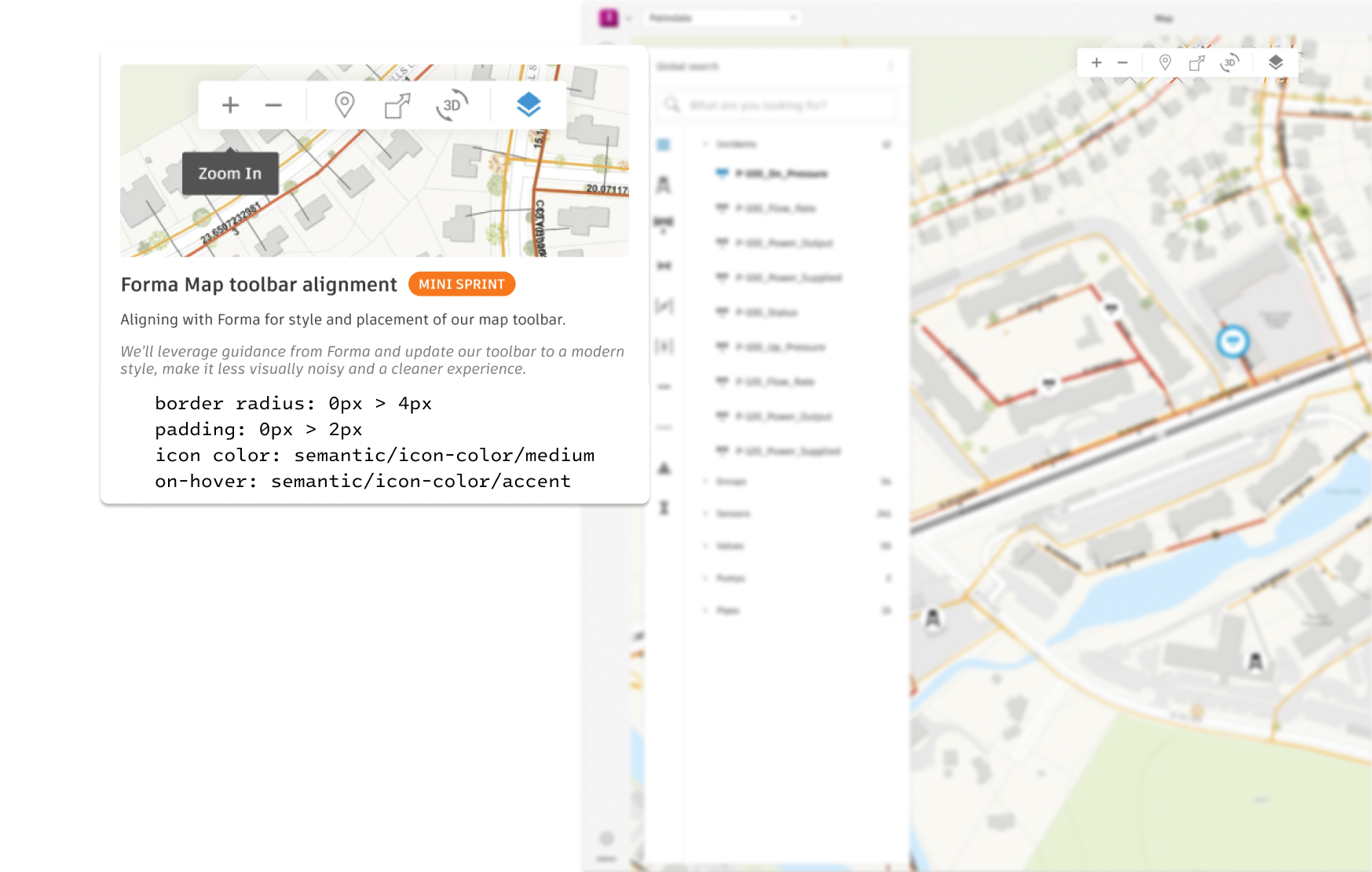
From a design perspective, it's easy to design future components with pixel perfect guidelines and apply them to code when time allows. But because I was intending for changes to be quickly completed alongside existing road-map items, it was necessary to create highly specific decision logs for developers to follow.
For every Takeoff, I clearly articulated why we were doing it, and exact token/class/padding changes (Ex. 5px to 4px vertical padding on status-bar). This specificity left both clear design guidance for usage, and delivered requests in a way developers on our team could do quickly..
Making room for future designs
Takeoffs couldn't be rigid and prevent us from scaling as a product. I quickly ran into the challenge that the bigger impact changes affected UX in addition to UI, altering features and dramatically growing in scope.
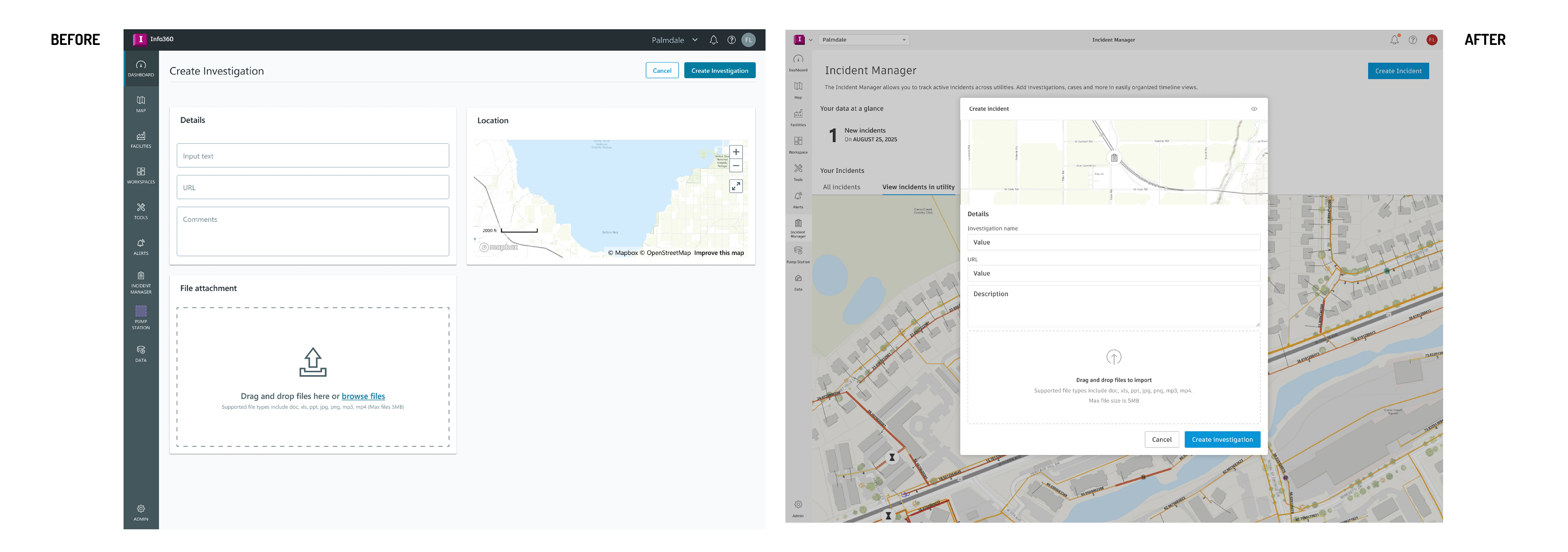
To prevent scope from expanding rapidly, I focused on the universal changes that would improve experience AND make room for future UI being consistent. Moving away from dedicated Create/Edit pages to modals meant future features could easily launch repeat experiences. Aligning our interface to have consistent information architecture meant future UI could invoke consistent data blocks, or (begrudgingly) enable us for agentic workflows with ''UI on Demand''
Merging deltas for downstream success
The work I did for Autodesk set customers up for success in many ways. Greater consistency reduced user error and cognitive load, enabling daily use of our software to be barrier free. New design guidelines and resources allowed for upcoming features to be easily approached and delightful. But most importantly, my involvement changed the culture of the design team by fostering future-thinking, improving designer/developer/product manager communication and breaking down silos between roles.